![fee[dB]ack](assets/logo-white.svg)
3D Guitar Highway
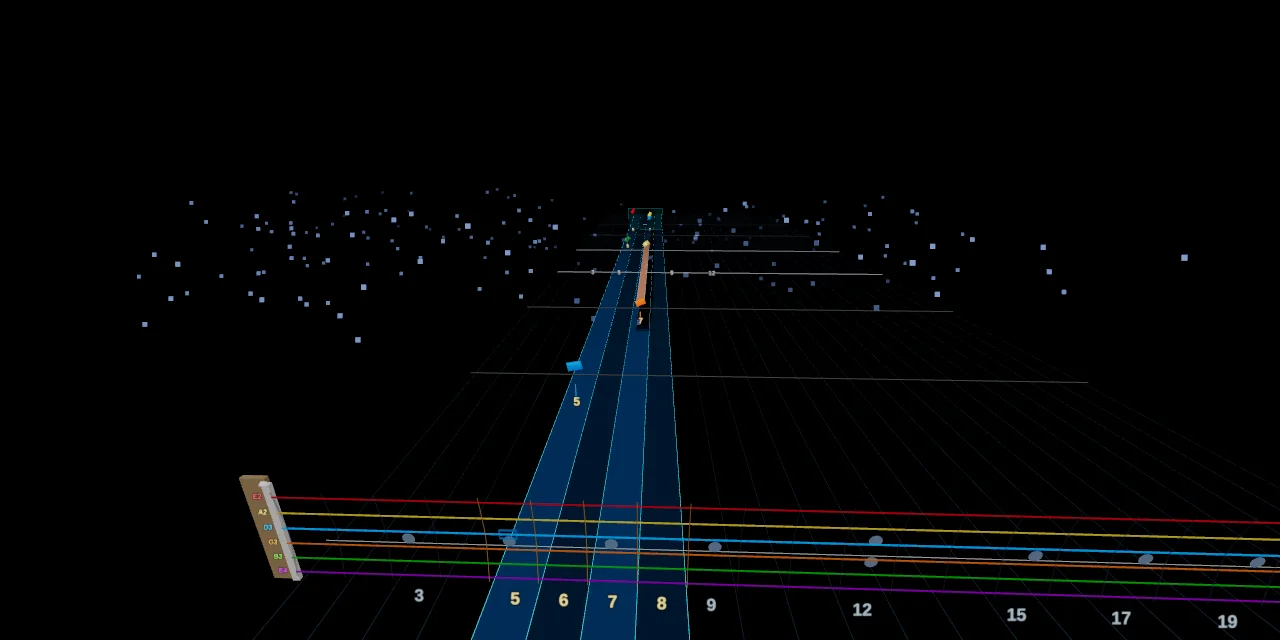
Reading the highway
- String colours — Thickest → thinnest: E · A · D · G · B · e — gems, strings and trails all share their string's colour. 7/8-string and bass arrangements extend or shrink the set; alternative palettes live in Settings.
- Strike line / fret row — The numbered row at the bottom; a note is played when its gem reaches it.
- Anchor lane — The highlighted strip shows where the fretting hand sits; fret numbers inside it are gold, the rest grey. It moves ahead of you as positions change.
- Beat & measure lines — Lines across the board; measure starts are brighter.
- Projection ghosts — Faint markers on the fret row previewing where each approaching note will land.
- Chord diagram — The corner overlay drawing the current chord's fingering (position and size in Settings).
- Hit feedback — With note detection active: hits flash spring green with timing-coloured sparks, misses flash magenta-red; early/late (▲/▼ ms) and sharp/flat (♯/♭ cents) labels appear when timing effects are on.
- Sections — Named song sections appear in the section HUD (and optionally on the highway).
Notes & sustains
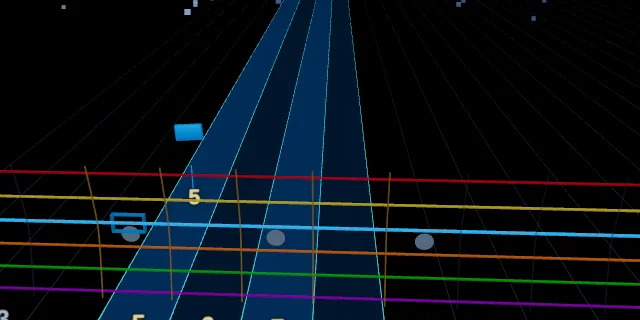
Fretted note
A gem in its string's colour with the gold fret number beneath it. Fret it and pick as it crosses the strike line at the fret row.
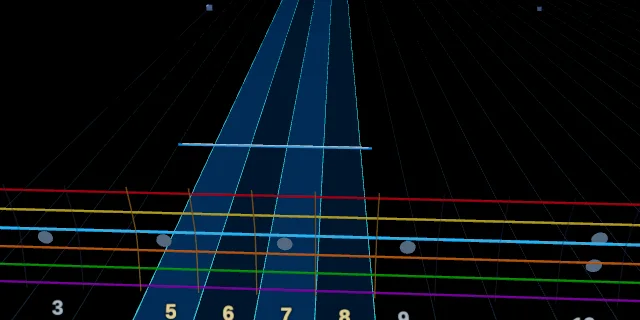
Open string
No fret number and a wider, flatter slab — play the string open. It travels in the open-string column of its lane.
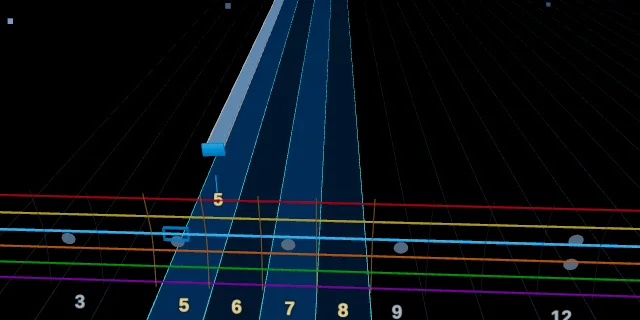
Sustain
A ribbon tail extends behind the gem for the note's full written length — keep it ringing until the tail ends. Held sustains glow while you hold them.
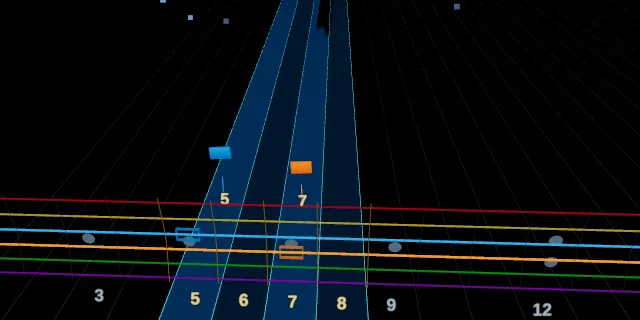
Double stop
Two gems arriving together on adjacent strings without a chord frame — fret and pick both as one.
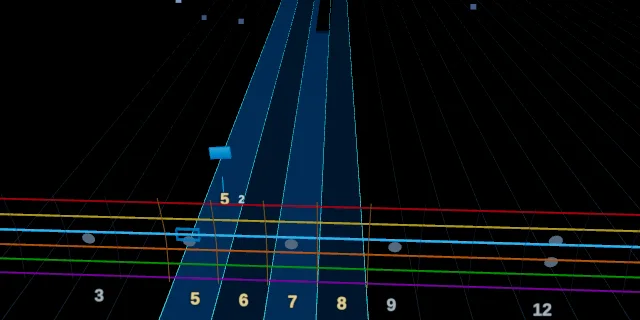
Finger hint (teaching mark)
A small digit beside the fret number suggesting which fret-hand finger to use (T = thumb, 1–4 = index…pinky). Display-only — never graded.
Techniques
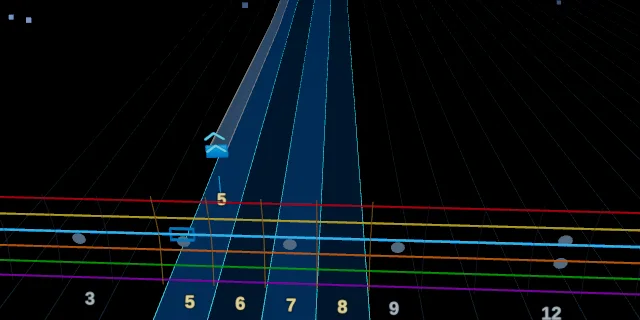
Bend
A chevron stack above the gem — one chevron per half-step (two = full bend) — and the sustain curves upward as the pitch rises. Follow the ribbon: it traces the exact bend curve, including pre-bends and releases.
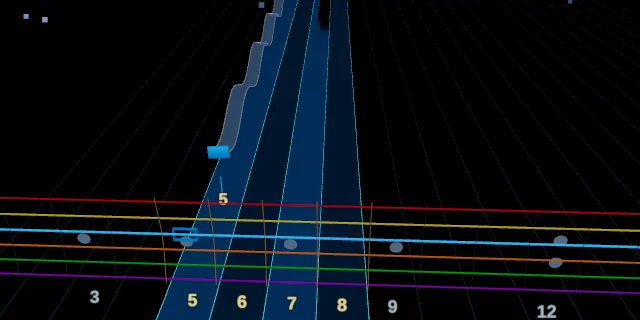
Vibrato
The gem and its ribbon oscillate up and down through the sustain — shake the note.
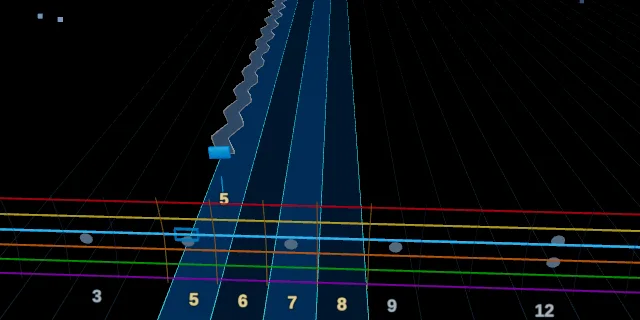
Tremolo picking
The trail wobbles side-to-side — keep re-picking the note rapidly for its length.
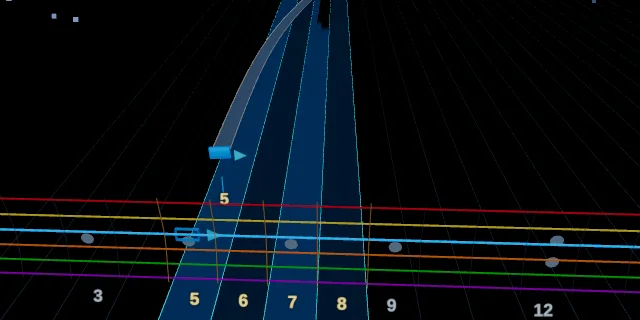
Slide (pitched)
A filled arrow beside the gem points toward the target fret, and the gem glides across the board to it during the sustain. A flat preview arrow appears on the neck ahead of time so you can see where you're going.
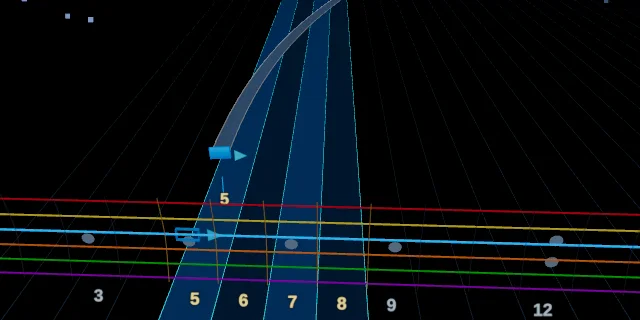
Unpitched slide (slide out)
Same glide and arrow, but the destination isn't a played note — let the fretting hand run off (a dive/scrape) without a landing target.
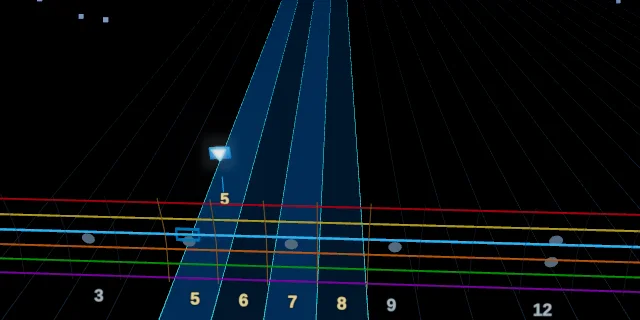
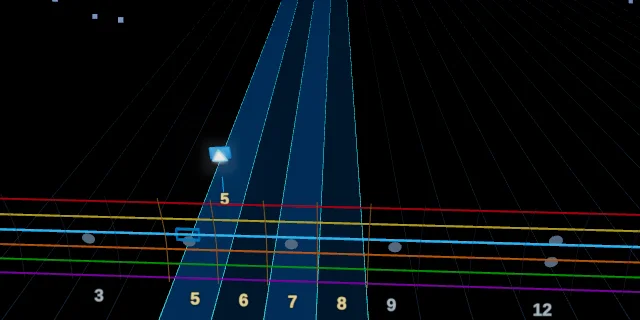
Hammer-on
A white ▲ triangle above the gem — sound it with the fretting hand, no pick.
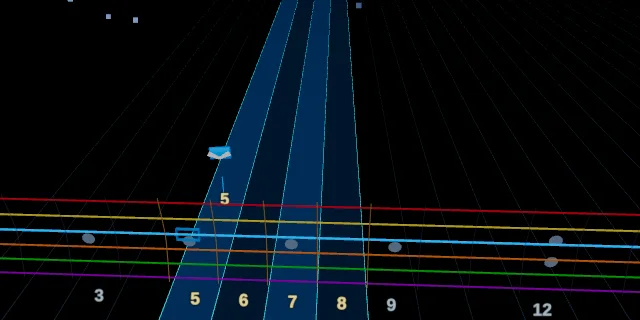
Pull-off
A white ▼ triangle — flick the finger off to the note below, no pick.
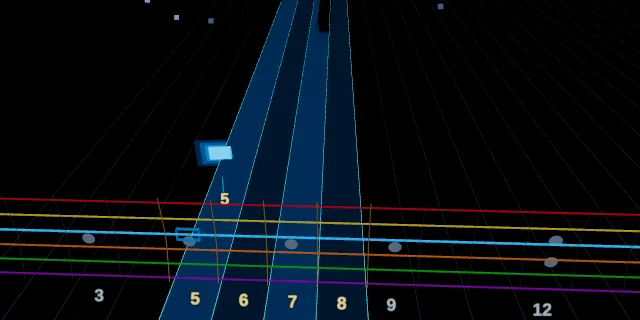
Tap
A dedicated chevron glyph — sound the note by tapping the fretboard, usually with the picking hand.
Accent
The gem renders larger with a bright halo and a hotter core — dig in.
Mutes & harmonics
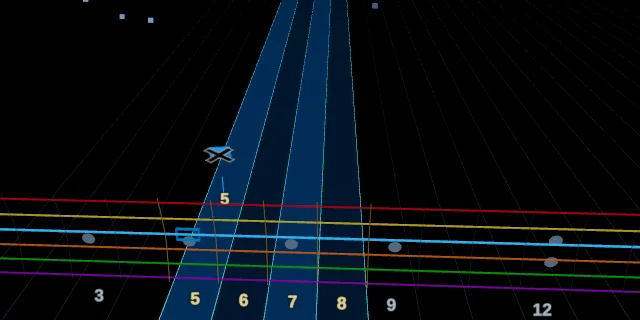
Palm mute
A black ✕ with a white border over the gem face — rest the picking palm on the strings at the bridge while playing.
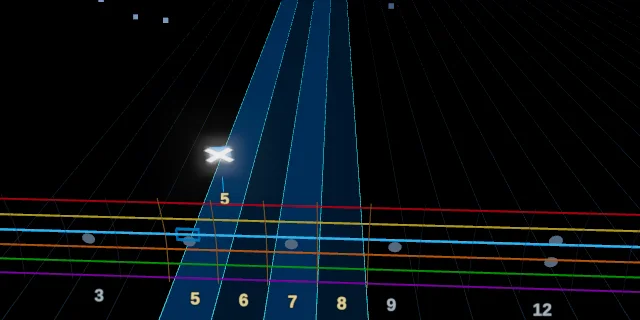
Fret-hand mute (dead note)
The inverse mark — a white ✕ with a black border. Deaden the string with the fretting hand for a percussive click, no pitch.
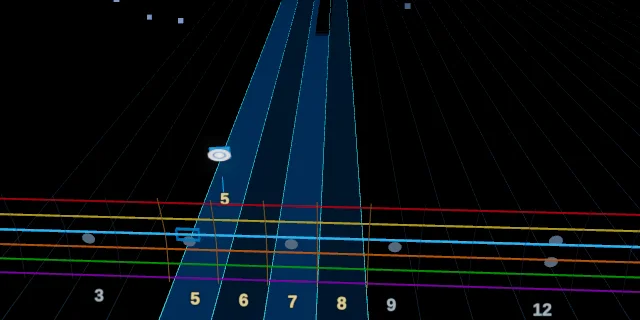
Natural harmonic
A bright glowing ring around the gem — touch the string lightly over the fret wire and pick for the chime.
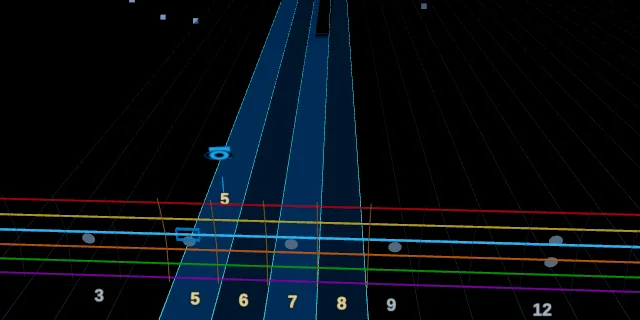
Pinch harmonic
Concentric string-coloured ellipses with dark rings — catch the string with the pick-hand thumb right after the pick for the squeal.
Chords & shapes
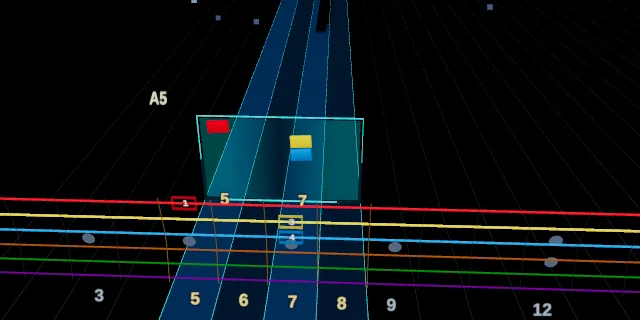
Chord
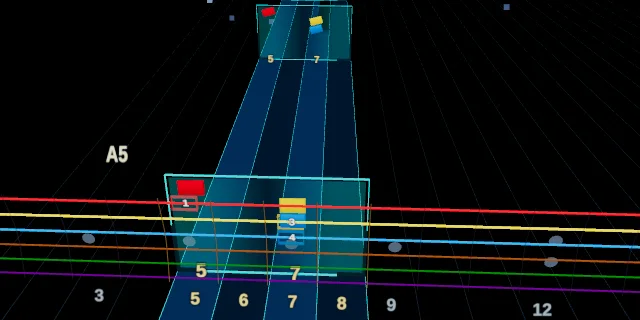
A teal frame boxes the stacked gems, with the chord name in gold above and each fretted position numbered at the board base. Strum everything inside the frame together.
Repeated chord
When the same shape re-strums quickly, the follow-up frames render half-height and dimmed, without repeating the fret numbers — keep the shape held and strum again. A repeated chord whose notes are palm-muted shows a big ✕ across the frame.
Barre chord
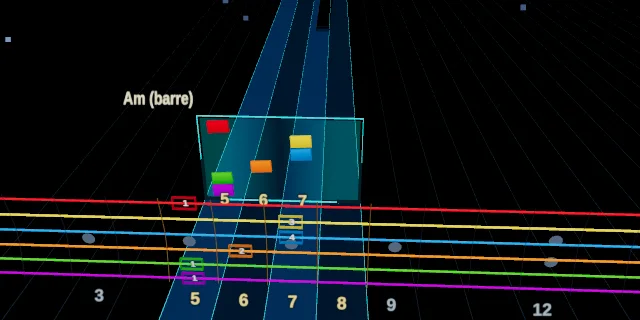
A white vertical line at the barre fret spans the barred strings — lay one finger flat across them. The chord diagram overlay shows the same barre as a bracket.
Arpeggio (hand shape)
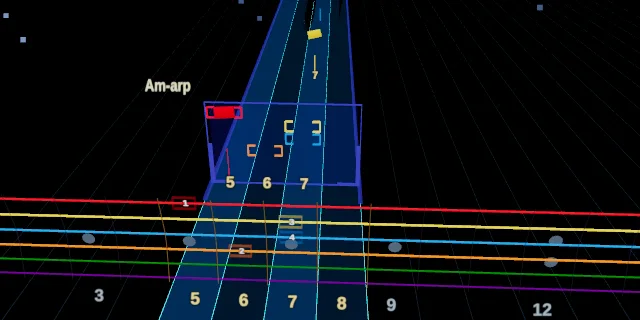
A blue-rimmed frame with [ ] brackets around the notes: hold the whole chord shape down while picking the notes individually as they arrive.
Visuals configurable under Settings → 3D Highway (string palette, themes, glow, bloom, sparks, background ambience, chord diagram, teaching marks). Linked notes (a slide landing on its target) draw as one continuous trail without a duplicate gem.
3D Drum Highway
Reading the highway
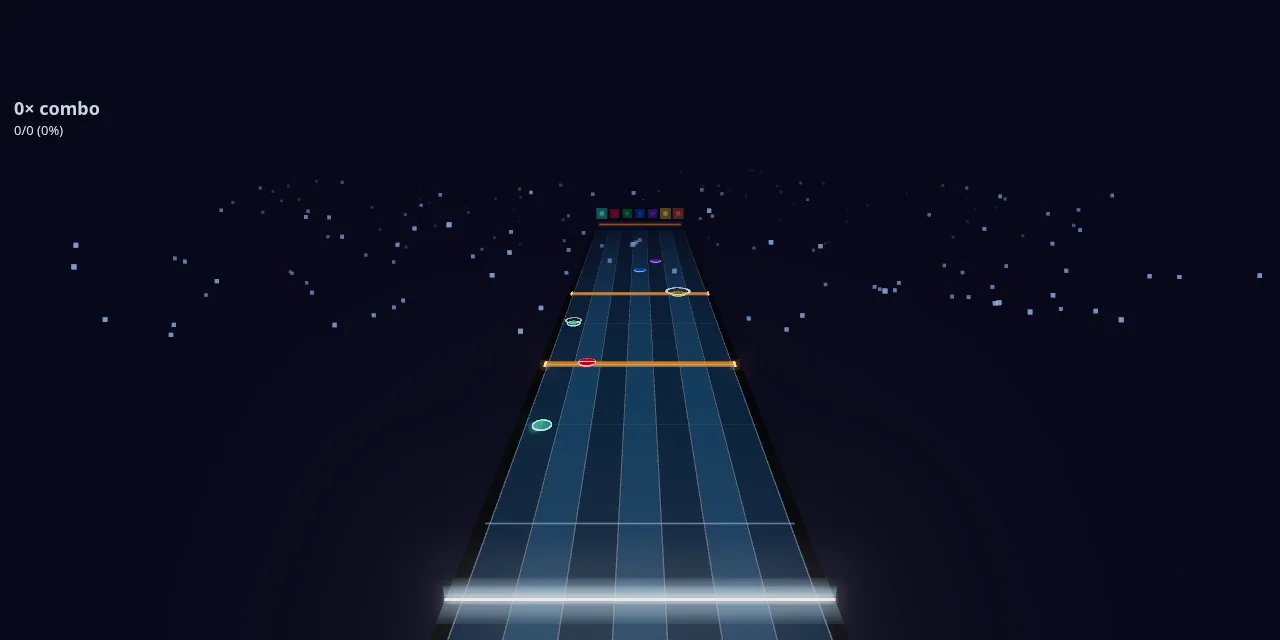
- Hit line — The glowing bar at the bottom; strike when a note crosses it.
- Lanes — One per kit piece (hi-hat, snare, toms, crashes, ride…), in your configured kit order; the coloured badges at the horizon map each lane to its piece.
- Lane glow — A lane brightens as its next note approaches.
- Beat grid — Faint lines every beat, brighter on measure starts.
- Kick bar — Spans all lanes (foot, not hands).
- Feedback — Hits turn green with timing-coloured sparks; misses turn red; combo milestones ring and burst at the hit line.
Note shapes
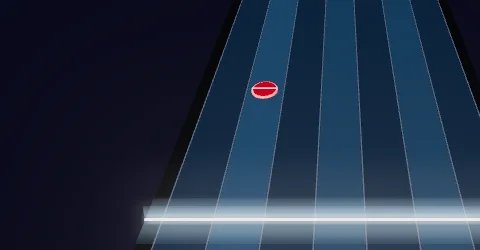
Snare / drum note
A satin drumhead in its lane colour with a glowing rim hoop. The rim brightens as the note approaches the hit line. Snares also carry a thin white “wires” stripe across the head. Strike the matching pad as the note crosses the line (±50 ms window).
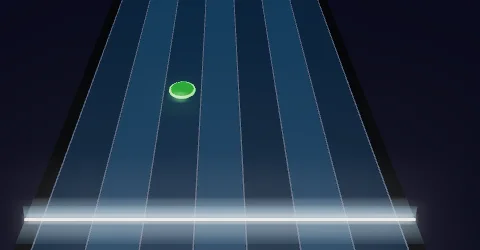
Tom
Same drumhead-and-rim shape in the tom's lane colour. High, mid and floor toms each own a lane (configurable in Settings → My kit).
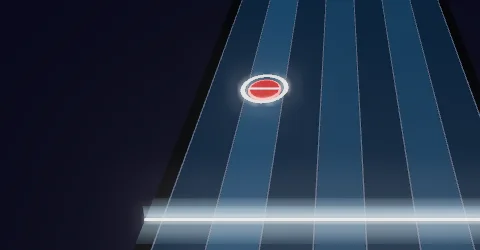
Accent (play louder)
A note written at velocity ≥ 100. It renders 25% larger with a white halo ring around the rim — lean into it.
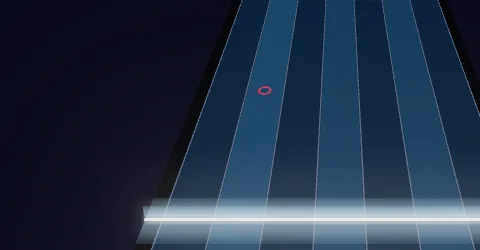
Ghost note (play softer)
A deliberately quiet grace stroke. Renders as a small hollow ring instead of a full drumhead — brush it, don't hit it.
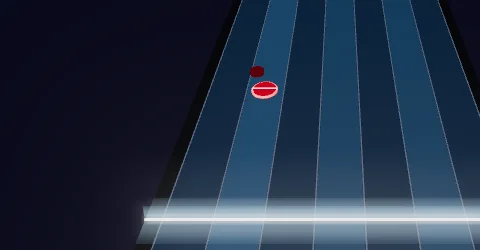
Flam
A small grace disc floats just ahead of (and beside) the main note: two strokes almost together — the quieter grace hand lands a fraction before the primary hit.
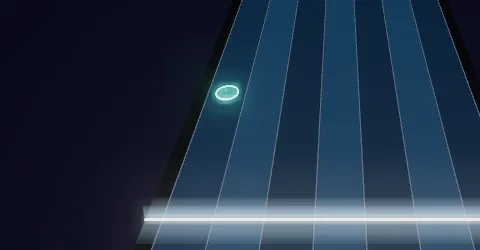
Hi-hat, closed
The bare faceted cymbal gem in the hi-hat lane. Play with the hats pressed closed.
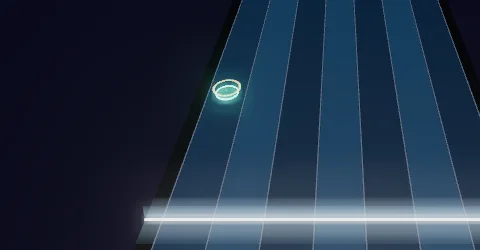
Hi-hat, open
The same gem wearing a warm amber ring — drum notation's “o”. Let the hats sizzle open; the ring is the only difference from a closed hat, so watch the hi-hat lane closely.
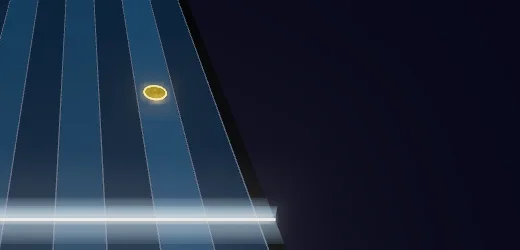
Crash cymbal
A metallic faceted gem with a bright edge ring in the crash lane. Both crashes (L/R) share the lane by default, so either pad scores it.
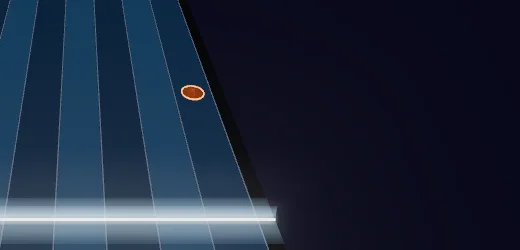
Ride cymbal
The same gem family in the ride lane — sustained timekeeping rather than a one-off crash.
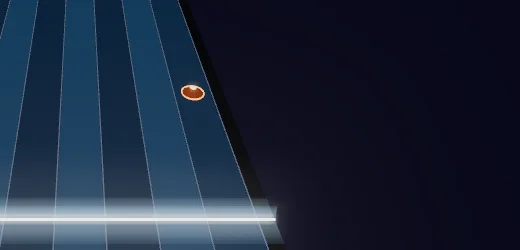
Ride bell
A ride note with a bright dot at the gem's centre: play the bell (the raised centre of the ride), not the bow.

Kick (bass drum)
A full-width amber bar with a glowing core line and end caps — it spans every lane because it's played with the foot, independent of the hands. The camera dips slightly when you land one.
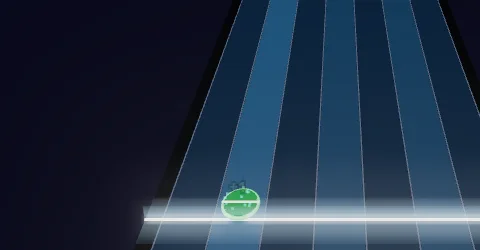
Scored hit
Any note you strike inside the timing window turns green and sparks fire at the lane, tinted by your timing: green = on time, cyan = early, amber = late. A note that scrolls past unstruck turns red and breaks your combo.
All visuals configurable under Settings → 3D Drum Highway (palette, scene theme, glow, bloom, sparks, background ambience). Timing window ±50 ms, matching the 2D drums view.